
パスワード変更
クライアントエリアとコントロールパネルは、連動していませんので、クライアントエリアのパスワードを変更してもパネルに反映・同期がされません。
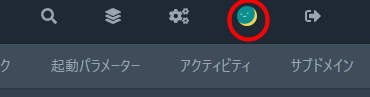
コントロールパネルのパスワードを変更するには、ログイン後に右上の右から2番目のアイコンをクリックします。
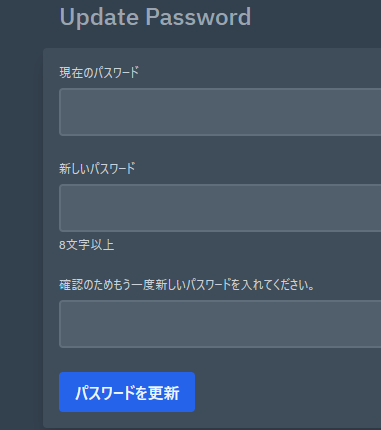
Update Passwordの項目をすべて入力し、「パスワードを更新」をクリックしていただくと更新完了です。
クライアントエリアとコントロールパネルは、連動していませんので、クライアントエリアのパスワードを変更してもパネルに反映・同期がされません。
コントロールパネルのパスワードを変更するには、ログイン後に右上の右から2番目のアイコンをクリックします。
Update Passwordの項目をすべて入力し、「パスワードを更新」をクリックしていただくと更新完了です。